Sale
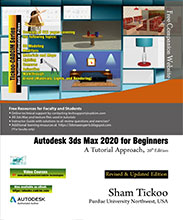
دانلود کتاب Autodesk 3ds Max 2020 برای مبتدیان: رویکردی آموزشی، ویرایش بیستم ۲۰۲۰ (Autodesk 3ds Max 2020 for Beginners: A Tutorial Approach, 20th Edition 2020) با لینک مستقیم و فرمت pdf (پی دی اف)
| نویسنده |
Prof. Sham Tickoo |
|---|

۳۰ هزار تومان تخفیف با کد «OFF30» برای اولین خرید
| سال انتشار |
2020 |
|---|---|
| زبان |
English |
| تعداد صفحهها |
622 |
| نوع فایل |
|
| حجم |
33.7MB |
🏷️ 200,000 تومان قیمت اصلی: 200,000 تومان بود.129,000 تومانقیمت فعلی: 129,000 تومان.
🏷️
378,000 تومان
قیمت اصلی: ۳۷۸٬۰۰۰ تومان بود.
298,000 تومان
قیمت فعلی: ۲۹۸٬۰۰۰ تومان.
Autodesk 3ds Max 2020 برای مبتدیان: رویکرد آموزشی، کتابی مبتنی بر آموزش است که خوانندگان را با ویژگیهای 3ds Max 2020 مانند مدلسازی، تکسچرینگ، نورپردازی، انیمیشن و رندرینگ به روشی مؤثر و ساده آشنا میکند. در این نسخه، خوانندگان در مورد مواد، نورها و رندرینگ آرنولد نیز اطلاعاتی کسب خواهند کرد. همچنین، برخی از ویژگیهای جدید و بهبودیافته 3ds Max 2020 مانند اصلاحگر Chamfer و OSL map در این نسخه پوشش داده شدهاند.
ویژگیهای برجسته
شامل 17 فصل و 5 پروژه دنیای واقعی است که در یک توالی آموزشی سازماندهی شدهاند و جنبههای مختلف مدلسازی، تکسچرینگ، نورپردازی، رندرینگ و انیمیشن را پوشش میدهند.
نویسنده از رویکرد آموزشی برای توضیح مفاهیم مختلف مدلسازی، تکسچرینگ، نورپردازی، رندرینگ و انیمیشن استفاده کرده است.
آزمون خودارزیابی، سوالات مروری و تمرینها در انتهای هر فصل ارائه شدهاند تا کاربران بتوانند دانش خود را ارزیابی کنند.
یک پروژه دانشجویی در پایان این کتاب ارائه شده است تا مهارتهای دانشجویان را آزمایش و تقویت کند.
فهرست مطالب
فصل 1: معرفی Autodesk 3ds Max 2020
فصل 2: اشیاء اولیه – I (بهبود یافته)
فصل 3: اشیاء اولیه – II (بهبود یافته)
فصل 4: کار با Splines – I (بهبود یافته)
فصل 5: کار با Splines – II
فصل 6: Lofting، Twisting و Deforming Objects
فصل 7: Material Editor: ایجاد مواد
فصل 8: Material Editor – Texture Maps – I
فصل 9: Material Editor – Texture Maps – II
فصل 10: Material Editor: کنترل Texture Maps
فصل 11: Material Editor: مواد متفرقه (بهبود یافته)
فصل 12: نورپردازی داخلی – I
فصل 13: نورپردازی داخلی – II
فصل 14: مبانی انیمیشن (بهبود یافته)
فصل 15: انیمیشن پیچیده (بهبود یافته)
فصل 16: Arnold Materials, Lights, and Rendering (جدید)
فصل 17: ایجاد Walkthrough
پروژه 1: ایجاد یک آسیاب بادی
پروژه 2: ایجاد یک غذاخوری
پروژه 3: پروژه معماری
پروژه 4: پروژه طراحی شرکتی
پروژه 5: ایجاد یک مرکز کامپیوتر
نمایه
منابع آموزشی و یادگیری رایگان:
CADCIM Technologies منابع آموزشی و یادگیری رایگان زیر را همراه با این کتاب ارائه میدهد:
پشتیبانی فنی با تماس با ‘techsupport@cadcim.com’
فایلهای Max استفاده شده در آموزشها
راهنمای مدرس با راهحل تمام سوالات مروری و دستورالعملهای ایجاد مدلها برای تمرینها (فقط برای اساتید).
منابع یادگیری اضافی در ‘3dsmaxexperts.blogspot.com’ و ‘youtube.com/cadcimtech’
ما همچنین دورههای ویدیویی در مورد Autodesk 3ds Max ارائه میدهیم. برای ثبت نام، لطفاً با استفاده از لینک زیر از وب سایت CADCIM دیدن کنید: https://www.cadcim.com/video-courses
۱. Front_matter_۳dsmax_۲۰۲۰
۲. c۰۱_۳dsmax_begg_۲۰۲۰
۳. c۰۲_۳dsmax_begg_۲۰۲۰
۴. c۰۳_۳dsmax_begg_۲۰۲۰
۵. c۰۴_۳dsmax_begg_۲۰۲۰
۶. c۰۵_۳dsmax_begg_۲۰۲۰
۷. c۰۶_۳dsmax_begg_۲۰۲۰
۸. c۰۷_۳dsmax_begg_۲۰۲۰
۹. c۰۸_۳dsmax_begg_۲۰۲۰
۱۰. c۰۹_۳dsmax_begg_۲۰۲۰
۱۱. c۱۰_۳dsmax_begg_۲۰۲۰
۱۲. c۱۱_۳dsmax_begg_۲۰۲۰
۱۳. c۱۲_۳dsmax_begg_۲۰۲۰
۱۴. c۱۳_۳dsmax_begg_۲۰۲۰
۱۵. c۱۴_۳dsmax_begg_۲۰۲۰
۱۶. c۱۵_۳dsmax_begg_۲۰۲۰
۱۷. c۱۶_۳dsmax_begg_۲۰۲۰
۱۸. c۱۷_۳dsmax_begg_۲۰۲۰
۱۹. Project۰۱_۲۰۲۰_beginners
۲۰. Project۰۲_۲۰۲۰_beginners
۲۱. Project۰۳_۲۰۲۰_beginners
۲۲. Project۰۴_۲۰۲۰_beginners
۲۳. Project۰۵_۲۰۲۰_beginners
۲۴. Student_Project_۲۰۲۰_beginners
Autodesk 3ds Max 2020 for Beginners: A Tutorial Approach is a tutorial-based book that introduces the readers to the features of 3ds Max 2020 such as modeling, texturing, lighting, animation, and rendering in an effective and simple manner. In this edition, the readers will also learn about arnold materials, lights, and rendering. Also, some new and enhanced features of 3ds Max 2020 such as Chamfer Modifier and OSL map are covered in this edition.
Salient Features
Consists of 17 chapters and 5 real world projects that are organized in a pedagogical sequence covering various aspects of modeling, texturing, lighting, rendering, and animation.
The author has followed the tutorial approach to explain various concepts of modeling, texturing, lighting, rendering, and animation.
Self-Evaluation test, Review Questions, and exercises are given at the end of each chapter so that the users can assess their knowledge.
Student project has been given at the end of this book to test and enhance the skills of students.
Table of Contents
Chapter 1: Introduction to Autodesk 3ds Max 2020
Chapter 2: Primitive Objects – I (Enhanced)
Chapter 3: Primitive Objects – II(Enhanced)
Chapter 4: Working with Splines – I (Enhanced)
Chapter 5: Working with Splines – II
Chapter 6: Lofting, Twisting, and Deforming Objects
Chapter 7: Material Editor: Creating Materials
Chapter 8: Material Editor – Texture Maps – I
Chapter 9: Material Editor – Texture Maps – II
Chapter 10: Material Editor: Controlling Texture Maps
Chapter 11: Material Editor: Miscellaneous Materials (Enhanced)
Chapter 12: Interior Lighting – I
Chapter 13: Interior Lighting – II
Chapter 14: Animation Basics (Enhanced)
Chapter 15: Complex Animation (Enhanced)
Chapter 16: Arnold Materials, Lights, and Rendering (New)
Chapter 17: Creating Walkthrough
Project 1: Creating a Windmill
Project 2: Creating a Diner
Project 3: Architectural Project
Project 4: Corporate Design Project
Project 5: Creating a Computer Center
Index
Free Teaching and Learning Resources:
CADCIM Technologies provides the following free teaching and learning resources with this book:
Technical support by contacting ‘techsupport@
Max files used in tutorials
Instructor Guide with solution to all review questions and instructions to create the models for exercises (For faculty only).
Additional learning resources at ‘3dsmaxexperts.blogspot.com’ and ‘youtube.com/cadcimtech’
We also provide video courses on Autodesk 3ds Max. To enroll, please visit the CADCIM website using the following link: https://www.cadcim.com/video-
1. Front_matter_3dsmax_2020
2. c01_3dsmax_begg_2020
3. c02_3dsmax_begg_2020
4. c03_3dsmax_begg_2020
5. c04_3dsmax_begg_2020
6. c05_3dsmax_begg_2020
7. c06_3dsmax_begg_2020
8. c07_3dsmax_begg_2020
9. c08_3dsmax_begg_2020
10. c09_3dsmax_begg_2020
11. c10_3dsmax_begg_2020
12. c11_3dsmax_begg_2020
13. c12_3dsmax_begg_2020
14. c13_3dsmax_begg_2020
15. c14_3dsmax_begg_2020
16. c15_3dsmax_begg_2020
17. c16_3dsmax_begg_2020
18. c17_3dsmax_begg_2020
19. Project01_2020_beginners
20. Project02_2020_beginners
21. Project03_2020_beginners
22. Project04_2020_beginners
23. Project05_2020_beginners
24. Student_Project_2020_beginners
✨ ضمانت تجربه خوب مطالعه
در صورت مشکل، مبلغ پرداختی بازگردانده می شود.
دانلود فایل کتاب با سرعت بالا
دانلود مستقیم به همراه ارسال فایل به ایمیل.
با چت آنلاین و پیامرسان ها پاسخگو هستیم.
کتاب ها را از منابع معتیر انتخاب می کنیم.

 هوشمصنوعی ترجمه کالیبو