Sale
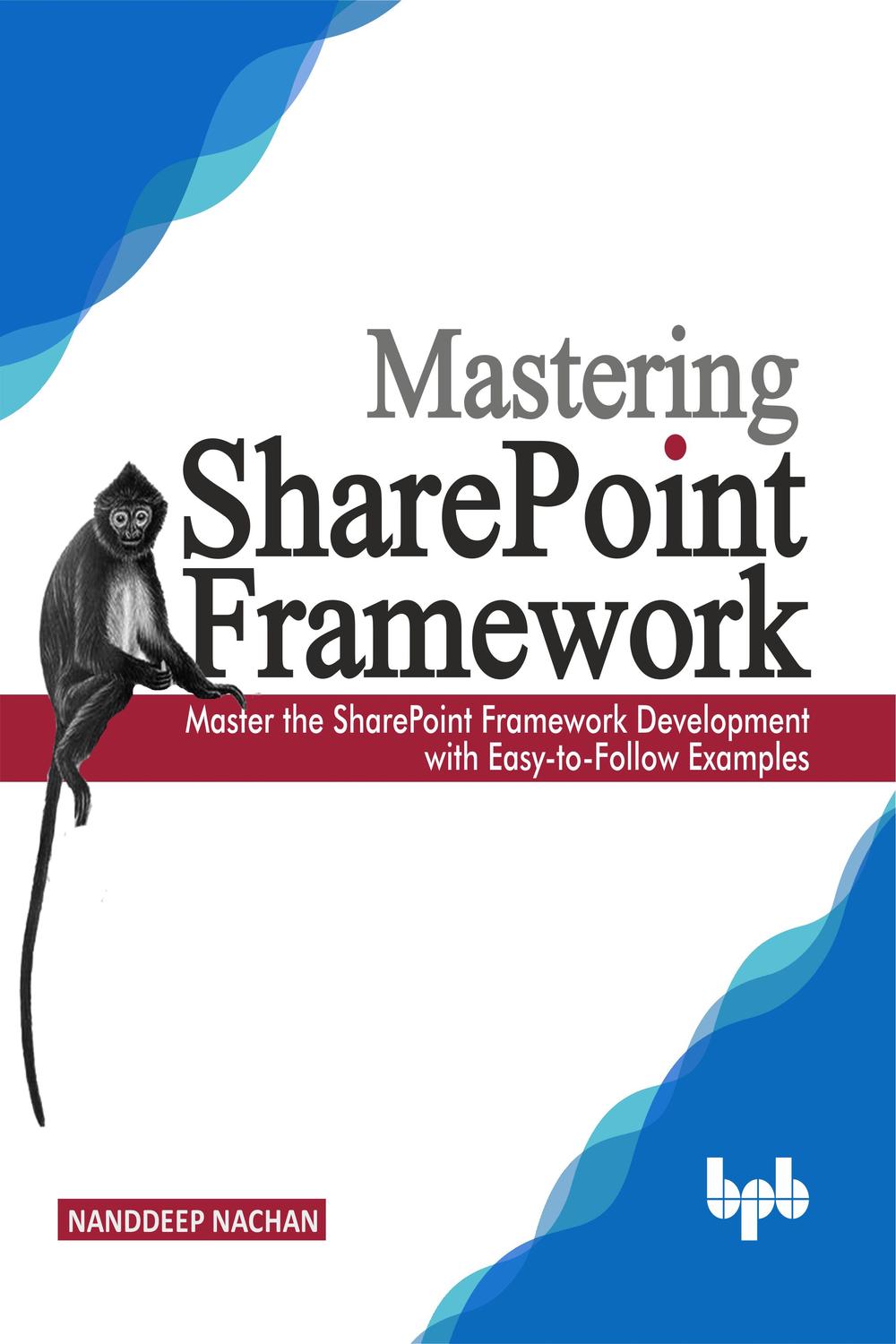
دانلود کتاب تسلط بر چارچوب SharePoint ۲۰۱۹ (Mastering Sharepoint Framework 2019) با لینک مستقیم و فرمت pdf (پی دی اف) و ترجمه فارسی
| نویسنده |
Nanddeep Nachan |
|---|

۳۰ هزار تومان تخفیف با کد «OFF30» برای اولین خرید
| سال انتشار |
2019 |
|---|---|
| زبان |
English |
| تعداد صفحهها |
654 |
| نوع فایل |
|
| حجم |
18.9 MB |
🏷️ 200,000 تومان قیمت اصلی: 200,000 تومان بود.129,000 تومانقیمت فعلی: 129,000 تومان.
🏷️
378,000 تومان
قیمت اصلی: ۳۷۸٬۰۰۰ تومان بود.
298,000 تومان
قیمت فعلی: ۲۹۸٬۰۰۰ تومان.
توضیحات
SharePoint به طور مداوم در حال تکامل است و چارچوب SharePoint را به عنوان یک مدل توسعه جدید برای گسترش رابط کاربری مدرن SharePoint ارائه کرده است. الگوی توسعه از سمت سرور به سمت توسعه سمت کاربر تغییر یافته است که شامل ابزارهای مختلف متنباز و زنجیره ابزار مدرن میشود. در نتیجه، تخصص فنی و مهارتهای تحلیلی مرتبط برای انجام چنین وظایفی مورد نیاز است. هدف این کتاب تجهیز شما با دانش کافی از چارچوب SharePoint به همراه مهارتهایی برای استفاده از ابزارهای قدرتمند مانند Node.js، npm، Yeoman، Gulp، TypeScript و غیره برای موفقیت در نقش یک توسعهدهنده SharePoint است.
این کتاب با یک مقدمه مختصر در مورد تکامل SharePoint در نسخههای مختلف و ظهور چارچوب SharePoint و فرصتهایی که ممکن است با آن روبرو شوید، همراه با مروری بر موضوعات کلیدی پوشش داده شده در کتاب شروع میشود. یاد خواهید گرفت که چگونه چارچوب SharePoint را راهاندازی کنید. قبل از غواصی در چندین مورد استفاده عملی نظارتشده، غیرنظارتشده و سایر موارد عملی چارچوب SharePoint، یاد خواهید گرفت که چگونه راهحلهای چارچوب SharePoint را با استفاده از React JS، Angular JS، Knockout JS و PnP JS توسعه دهید و از بستههای npm شخص ثالث استفاده کنید. شما متدولوژیهای مختلفی را برای استقرار راهحلهای چارچوب SharePoint، پیادهسازی بهترین شیوهها، تکنیکهای ارتقا، ساخت اجزای سفارشی و یکپارچهسازی مداوم و خطوط لوله تحویل برای راهحلهای چارچوب SharePoint با Azure DevOps خواهید آموخت.
ویژگیهای کلیدی
* تسلط بر مفهوم چارچوب SharePoint (SPFx)
* یادگیری نحوه استفاده از کتابخانهها و چارچوبهای مختلف جاوا اسکریپت با چارچوب SharePoint
* استقرار راه حل های SPFx در CDN ها (Azure Storage و O365 Public CDN)
* یادگیری عملیات SharePoint با SPFx
* مصرف Microsoft Graph و API های شخص ثالث در SPFx
* ارتقاء راه حل ها از سناریوهای استقرار
* یکپارچه سازی مداوم و خطوط لوله تحویل برای راه حل های چارچوب SharePoint با Azure DevOps
* توسعه سناریوهای عملی
چه چیزی یاد خواهید گرفت
در پایان کتاب، با چند مطالعه موردی روبرو خواهید شد تا دانش به دست آمده خود را به کار بگیرید و مشکلات تجاری واقعی مانند ساخت اجزای سفارشی مانند Web Partها و Extensionها را حل کنید. یاد خواهید گرفت که چگونه Microsoft Graph و APIهای شخص ثالث را مصرف کنید، صفحات برنامه سفارشی را توسعه دهید، اجزای کتابخانه را پیادهسازی کنید، MS Teams را با SPFx گسترش دهید و خطوط لوله CI/CD را برای راهحلهای چارچوب SharePoint با Azure DevOps پیادهسازی کنید. به یاد داشته باشید که مثالهای ارائه شده به عنوان بسته کد برای هر فصل در این کتاب را تمرین کنید تا بر این تکنیکها مسلط شوید.
این کتاب برای چه کسانی است
این کتاب برای هر کسی که به دنبال شغلی در SharePoint مدرن است، همه توسعهدهندگان مشتاق SharePoint که میخواهند قدرتمندترین تکنیک برای گسترش رابط کاربری SharePoint را یاد بگیرند یا متخصصان شاغلی که میخواهند شغل خود را در SharePoint تغییر دهند، در نظر گرفته شده است. در حالی که هیچ دانش قبلی از SharePoint، ابزارهای متنباز و زنجیره ابزار مدرن یا فناوریهای مرتبط فرض نمیشود، داشتن مقداری تجربه برنامهنویسی مفید خواهد بود.
فهرست مطالب
1. شروع کار با چارچوب SharePoint
2. اولین Web Part SPFx خود را توسعه دهید
3. پنجره ویژگی Web Part SPFx
4. کنترل های سفارشی برای پنجره ویژگی Web Part
5. کنترل های PnP برای پنجره ویژگی Web Part
6. ملاحظات CSS
7. پیکربندی نماد Web Part SPFx
8. بررسی Web Part های SPFx در SharePoint مدرن
9. میزبانی Web Part های SPFx از MS Azure CDN
10. میزبانی Web Part های SPFx از Office 365 Public CDN
11. میزبانی Web Part های SPFx از کتابخانه اسناد SharePoint
12. ادغام jQuery با Web Part های SPFx
13. عملیات CRUD بدون فریم ورک
14. عملیات CRUD با React JS
15. عملیات CRUD با Angular JS
16. عملیات CRUD با استفاده از Knockout JS
17. عملیات CRUD با SP-PnP-JS
18. انتقال به pnp/sp@ از sp-pnp-js
19. توسعه SPFx با React JS
20. رویدادهای چرخه عمر React در SPFx
21. رویدادهای کنترل AutoBind در SPFx
22. به روز رسانی وضعیت جزئی برای Web Part های SPFx مبتنی بر React
23. استفاده از Office UI Fabric در SPFx
24. تهیه دارایی های SharePoint در راه حل SPFx
25. اتصال به MS Graph API با MSGraphClient
26. اتصال به MS Graph API با AadHttpClient
27. مکانیسم ورود به سیستم SPFx
28. رفع اشکال راه حل های SPFx
29. مروری بر افزونه های SPFx
30. افزونه SPFx – سفارشی ساز برنامه
31. گسترش سفارشی ساز برنامه با اجزای React
32. افزونه SPFx – سفارشی ساز فیلد
33. افزونه SPFx – مجموعه دستورات ListView
34. فراخوانی ناشناس توابع MS Azure
35. ایمن سازی تابع Azure با Azure Active Directory
36. مصرف تابع ایمن شده Azure AD با SPFx
37. پیاده سازی تفکیک مسئولیت ها (SoC)
38. پشتیبانی از محلی سازی برای SPFx
39. Office 365 CLI
40. ارتقاء راه حل های SPFx
41. ارتقاء راه حل SPFx با Office 365 CLI
42. مسائل رایج و راه حل ها با ارتقاء بسته های npm
43. گسترش MS Teams با SPFx
44. نوع جزء کتابخانه
45. توسعه صفحات برنامه سفارشی با SPFx
46. بهینه سازی راه حل های SPFx
47. تست واحد با Jest و Enzyme
48. DevOps برای SPFx
49. پرس و جو از جزئیات نمایه کاربر
50. پرس و جو از نتایج جستجوی SP
51. نمایش درختی مبتنی بر React
52. چرخ فلک مبتنی بر React
53. نمودار سازمانی مبتنی بر React
54. ادغام کارت های تطبیقی با SPFx
55. ادغام Google API با SPFx
56. توسعه SPFx با SharePoint On-Premises
۱. صفحه روی جلد
۲. صفحه عنوان
۳. صفحه حق نشر
۴. تقدیمنامه
۵. درباره نویسنده
۶. درباره بازبین
۷. سپاسگزاری
۸. پیشگفتار
۹. فهرست اشتباهات
۱۰. فهرست مطالب
۱. شروع به کار با SharePoint Framework
۲. توسعه اولین قسمت وب SPFx خود
۳. صفحه خصوصیات قسمت وب SPFx
۴. کنترل سفارشی برای صفحه خصوصیات قسمت وب
۵. کنترل PnP برای صفحه خصوصیات قسمت وب
۶. ملاحظات CSS
۷. پیکربندی آیکون قسمت وب SPFx
۸. بررسی قسمتهای وب SPFx در SharePoint مدرن
۹. میزبانی قسمتهای وب SPFx از MS Azure CDN
۱۰. میزبانی قسمتهای وب SPFx از Office ۳۶۵ Public CDN
۱۱. میزبانی قسمتهای وب SPFx از کتابخانه اسناد SharePoint
۱۲. ادغام jQuery با قسمتهای وب SPFx
۱۳. عملیات CRUD بدون فریمورک
۱۴. عملیات CRUD با React JS
۱۵. عملیات CRUD با AngularJS
۱۶. عملیات CRUD با استفاده از Knockout JS
۱۷. عملیات CRUD با SP-PnP-JS
۱۸. انتقال به @pnp/sp از sp-pnp-js
۱۹. توسعه SPFx با ReactJS
۲۰. رویدادهای چرخه حیات React در SPFx
۲۱. رویدادهای کنترل Autobind در SPFx
۲۲. بهروزرسانی وضعیت جزئی برای قسمتهای وب SPFx مبتنی بر React
۲۳. استفاده از Office UI Fabric در SPFx
۲۴. تهیه داراییهای SharePoint در راهکارهای SPFx
۲۵. اتصال به MS Graph API با MSGraphClient
۲۶. اتصال به MS Graph API با AadHttpClient
۲۷. مکانیزم گزارشگیری SPFx
۲۸. اشکالزدایی راهکارهای SPFx
۲۹. مرور کلی افزونههای SPFx
۳۰. افزونههای SPFx – سفارشیکننده برنامه
۳۱. توسعه سفارشیکننده برنامه با اجزای React
۳۲. افزونههای SPFx – سفارشیکننده فیلد
۳۳. افزونههای SPFx – مجموعه دستورات ListView
۳۴. فراخوانی ناشناس توابع MS Azure
۳۵. ایمنسازی توابع Azure با Azure Active Directory
۳۶. مصرف تابع ایمن شده Azure AD با SPFx
۳۷. پیادهسازی جداسازی دغدغهها (SoC)
۳۸. پشتیبانی از بومیسازی برای SPFx
۳۹. Office ۳۶۵ CLI
۴۰. ارتقاء راهکارهای SPFx
۴۱. ارتقاء راهکار SPFx با Office ۳۶۵ CLI
۴۲. مسائل متداول و راه حلها با ارتقاء بستههای npn
۴۳. توسعه MS Teams با SPFx
۴۴. انواع اجزای کتابخانه
۴۵. توسعه صفحات برنامه سفارشی با SPFx
۴۶. بهینهسازی راهکارهای SPFx
۴۷. تست واحد با Jest و Enzyme
۴۸. DevOps برای SPFx
۴۹. پرسوجو از جزئیات پروفایل کاربر
۵۰. پرسوجو از نتایج جستجوی SP
۵۱. نمای درختی مبتنی بر React
۵۲. چرخفلک مبتنی بر React
۵۳. پیادهسازی ارگانوگرام مبتنی بر React
۵۴. ادغام Adaptive Cards با SPFx
۵۵. ادغام Google API با SPFx
۵۶. توسعه SPFx با SharePoint On-Premises
۶۷. پیوست
۶۸. واژهنامه
۶۹. فهرست
۷۰. توصیهها، منابع و سخن پایانی
A step-by-step guide to acquire knowledge of the SharePoint Framework (SPFx), build it from scratch, and gradually move towards developing practical examples.
DESCRIPTIONÊÊ
SharePoint is continuously evolving, and it has offered the SharePoint Framework as a new development model to extend the modern SharePoint user interface. The development paradigm has shifted from the server-side to the client-side development involving various open source tooling and modern toolchain. As a result, relevant technical expertise and analytical skills are required to do such tasks. This book aims to equip you with enough knowledge of the SharePoint Framework in conjunction with skills to use powerful tools such as Node.js, npm, Yeoman, Gulp, TypeScript, and so on to succeed in the role of a SharePoint developer.
The book starts with a brief introduction to the SharePoint evolution across versions and the rise of the SharePoint Framework and the opportunities you may come across along with an overview of the key topics covered in the book. You will learn how to set up the SharePoint Framework. Before diving into several supervised, unsupervised and other practical use cases of the SharePoint Framework, you will learn how to develop SharePoint Framework solutions using React JS, Angular JS, Knockout JS, and PnP JS and utilize third-party npm packages. You will learn various methodologies to deploy the SharePoint Framework solutions, implement best practices, upgrade techniques, build custom components, and continuous integration and delivery pipelines for SharePoint Framework solutions with Azure DevOps.
KEY FEATURESÊÊ
Master the concept of the SharePoint Framework (SPFx)
Learn how to use various JavaScript libraries and frameworks with the SharePoint Framework
Deploy SPFx solutions into CDNs (Azure Storage and O365 Public CDN)
Learn SharePoint operations with SPFx
Consume the Microsoft Graph and third-party APIs in SPFx
Upgrade solutions from deployment scenarios
Continuous integration and delivery pipelines for the SharePoint Framework solutions with Azure DevOps
Develop practical scenarios
WHAT WILL YOU LEARNÊ
By the end of the book, you will come across a few case studies to put your knowledge gained into practice and solve real-life business problems such as building custom components such as web parts and extensions. You will learn how to consume the Microsoft Graph and third-party APIs, develop Custom App Pages, implement Library Components, extend MS Teams with SPFx, and implement CI/CD pipelines for the SharePoint Framework solutions with Azure DevOps. Remember to practice examples provided as the code bundle for each chapter in this book to master these techniques.
WHO THIS BOOK IS FORÊ
The book is intended for anyone looking for a career in modern SharePoint, all aspiring SharePoint developers who want to learn the most powerful technique to extend the SharePoint user interface or working professionals who want to switch their career in SharePoint. While no prior knowledge of SharePoint, open-source tooling and modern toolchain or related technologies is assumed, it will be helpful to have some programming experience.
Table of Contents
1. Getting Started with SharePoint Framework
2. Develop Your First SPFx Web Part
3. SPFx Web Part Property Pane
4. Custom Controls for Web Part Property Pane
5. PnP Controls for Web Part Property Pane
6. CSS Considerations
7. Configure SPFx Web Part Icon
8. Examine SPFx Web Parts on Modern SharePoint
9. Host SPFx Web Parts from MS Azure CDN
10. Host SPFx Web Parts from Office 365 Public CDN
11. Host SPFx Web Parts from SharePoint Document Library
12. Integrating jQuery with SPFx Web Parts
13. CRUD Operations with No Framework
14. CRUD Operations with React JS
15. CRUD Operations with Angular JS
16. CRUD Operations using Knockout JS
17. CRUD Operations with SP-PnP-JS
18. Transition to @pnp/sp from sp-pnp-js
19. SPFx Development with React JS
20. React Lifecycle Events in SPFx
21. AutoBind Control Events in SPFx
22. Partial State Update for React-based SPFx WebParts
23. Using Office UI Fabric in SPFx
24. Provision SharePoint Assets in SPFx Solution
25. Connect to MS Graph API with MSGraphClient
26. Connect to MS Graph API with AadHttpClient
27. SPFx Logging Mechanism
28. Debug SPFx Solutions
29. Overview of SPFx Extensions
30. SPFx Extension – Application Customizer
31. Extend Application Customizer with React Components
32. SPFx Extension – Field Customizer
33. SPFx Extension – ListView Command Set
34. Anonymously Call MS Azure Functions
35. Securing Azure Function with Azure Active Directory
36. Consume Azure AD Secured Function with SPFx
37. Implementing Separation of Concerns (SoC)
38. Localization Support for SPFx
39. Office 365 CLIÊ
40. SPFx Solutions Upgrade
41. SPFx Solution Upgrade with Office 365 CLI
42. Common Issues and Resolutions with Upgrading npm Packages
43. Extend MS Teams with SPFx
44. Library Component TypeÊ
45. Develop Custom App Pages with SPFx
46. Optimizing SPFx Solutions
47. Unit Test with Jest and Enzyme
48. DevOps For SPFx
49. Query User Profile Details
50. Query SP Search Results
51. React-based Tree view
52. React-based Carousel
53. React-based Organogram
54. Integrating Adaptive Cards with SPFx
55. Integrating Google API with SPFx
56. SPFx Development with SharePoint On-Premises
1. Cover Page
2. Title Page
3. Copyright Page
4. Dedication
5. About the Author
6. About the Reviewer
7. Acknowledgements
8. Preface
9. Errata
10. Table of Contents
1. Getting Started with the SharePoint Framework
2. Develop Your First SPFx Web Part
3. SPFx Web Part Property Pane
4. Custom Control for the Web Part Property Pane
5. PnP Control for the Web Part Property Pane
6. CSS Considerations
7. Configure the SPFx WebPart Icon
8. Examine SPFx WebParts on Modern SharePoint
9. Host SPFx WebParts from MS Azure CDN
10. Host SPFx WebParts from the Office 365 Public CDN
11. Host SPFx Web Parts From the SharePoint Document Library
12. Integrating jQuery with SPFx WebParts
13. CRUD Operations with No Framework
14. CRUD Operations with React JS
15. CRUD Operations with AngularJS
16. CRUD Operations Using Knockout JS
17 CRUD Operations with SP-PnP-JS
18. Transition to @pnp/sp from sp-pnp-js
19. SPFx Development with ReactJS
20. React Lifecycle Events in SPFx
21. Autobind Control Events in SPFx
22. Partial State Update for React-based SPFx WebParts
23. Using Office UI Fabric in SPFx
24. Provision SharePoint Assets in SPFx Solutions
25. Connect to the MS Graph API with MSGraphClient
26. Connect to the MS Graph API with AadHttpClient
27. SPFx Logging Mechanism
28. Debug SPFx Solutions
29. Overview of SPFx Extensions
30. SPFx Extensions-Application Customizer
31. Extendan Application Customizer with React Components
32. SPFx Extensions-Field Customizer
33. SPFx Extensions-ListView Command Set
34. Anonymously Call MS Azure Functions
35. Securing Azure Functions with Azure Active Directory
36. Consume Azure AD Secured Function with SPFx
37. Implementing Separation of Concerns (SoC)
38. Localization Support for SPFx
39. Office 365 CLI
40. SPFx Solutions Upgrade
41. SPFx Solution Upgrade with the Office 365 CLI
42. Common Issues and Resolutions with Upgrading npn Packages
43. Extend MS Teams with SPFx
44. Library Component Types
45. Develop Custom App Pages with SPFx
46. Optimizing SPFx Solutions
47. Unit Test with Jest and Enzyme
48. DevOps for SPFx
49. Query User Profile Details
50. Querying SP Search Results
51. React-based Tree View
52. React-based Carousel
53. Implement a React-based Organogram
54. Integrating Adaptive Cards with SPFx
55. Integrating the Google API with SPFx
56. SPFx Development with SharePoint On-Premises
67. Appendix
68. Glossary
69. Index
70. Recommendations, Resources & The Final Words
✨ ضمانت تجربه خوب مطالعه
در صورت مشکل، مبلغ پرداختی بازگردانده می شود.
دانلود فایل کتاب با سرعت بالا
دانلود مستقیم به همراه ارسال فایل به ایمیل.
با چت آنلاین و پیامرسان ها پاسخگو هستیم.
کتاب ها را از منابع معتیر انتخاب می کنیم.

 هوشمصنوعی ترجمه کالیبو