Sale
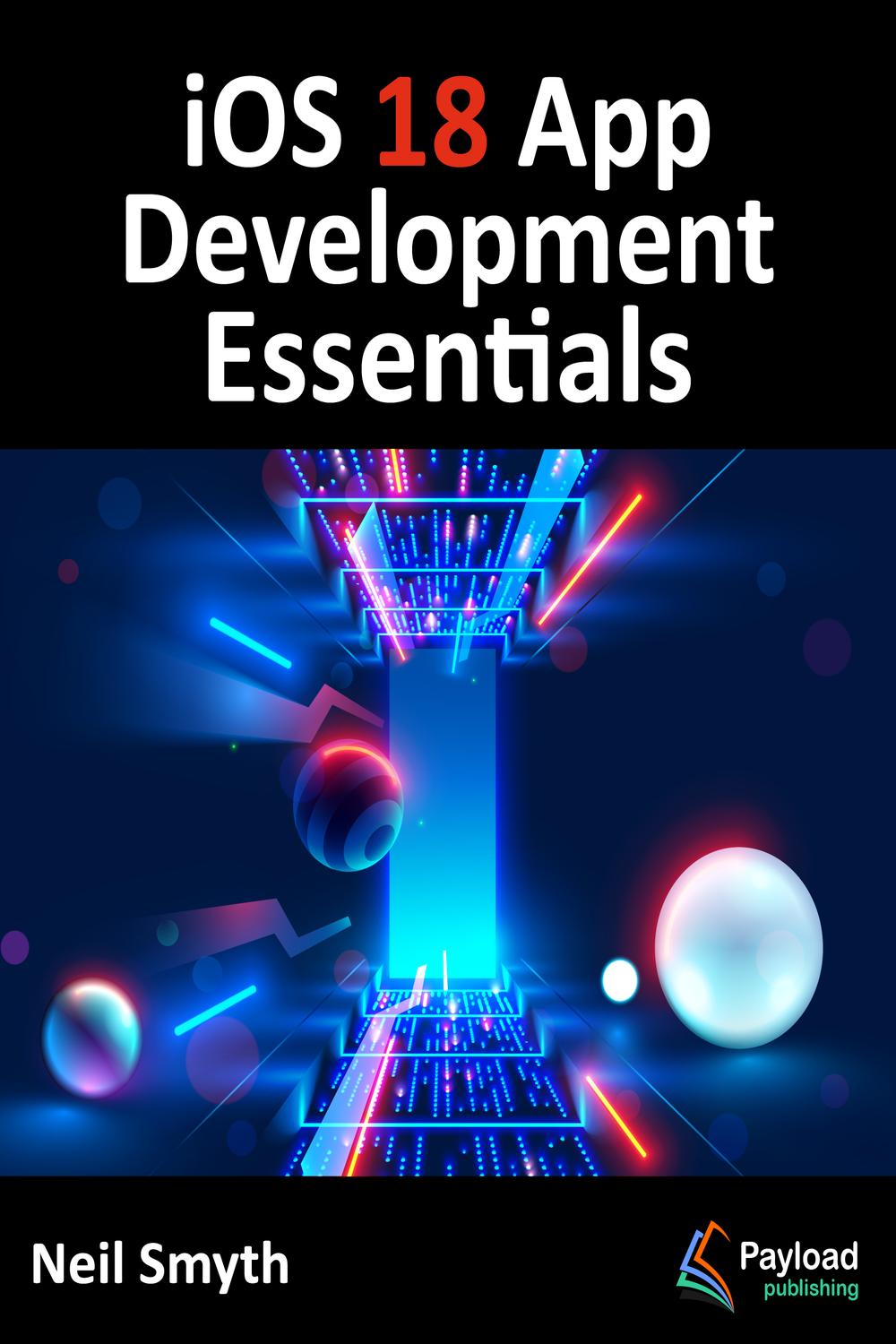
دانلود کتاب اصول اساسی توسعه اپلیکیشن برای iOS 18 ۲۰۲۴ (iOS 18 App Development Essentials 2024) با لینک مستقیم و فرمت pdf (پی دی اف) و ترجمه فارسی
| نویسنده |
Neil Smyth |
|---|

۳۰ هزار تومان تخفیف با کد «OFF30» برای اولین خرید
| سال انتشار |
2024 |
|---|---|
| زبان |
English |
| تعداد صفحهها |
614 |
| نوع فایل |
|
| حجم |
29.1 MB |
🏷️ 200,000 تومان قیمت اصلی: 200,000 تومان بود.129,000 تومانقیمت فعلی: 129,000 تومان.
🏷️
378,000 تومان
قیمت اصلی: ۳۷۸٬۰۰۰ تومان بود.
298,000 تومان
قیمت فعلی: ۲۹۸٬۰۰۰ تومان.
هدف این کتاب آموزش مهارتهای لازم برای ساخت برنامههای کاربردی iOS 18 با استفاده از SwiftUI، Xcode 16 و زبان برنامهنویسی Swift است.
این کتاب با مباحث مقدماتی شروع شده و مراحل راهاندازی یک محیط توسعه iOS را به همراه معرفی استفاده از Swift Playgrounds برای یادگیری و آزمایش با Swift شرح میدهد.
همچنین، کتاب شامل فصلهای جامعی است که به معرفی زبان برنامهنویسی Swift، از جمله انواع داده، جریان کنترل، توابع، برنامهنویسی شیگرا، پوششهای ویژگی (property wrappers)، همروندی ساختیافته (structured concurrency) و مدیریت خطا میپردازد.
پس از معرفی مفاهیم کلیدی SwiftUI و معماری پروژه، یک تور راهنما در Xcode در حالت توسعه SwiftUI ارائه میشود. این کتاب همچنین ایجاد نماهای (view) سفارشی SwiftUI را پوشش داده و توضیح میدهد که چگونه این نماها برای ایجاد طرحبندیهای رابط کاربری، از جمله پشتهها، فریمها و فرمها ترکیب میشوند.
سایر موضوعات پوشش داده شده شامل مدیریت داده با استفاده از ویژگیهای حالت (state properties) و اشیاء قابل مشاهده (observable)، حالت (state) و محیط (environment)، و همچنین مفاهیم کلیدی طراحی رابط کاربری مانند تغییر دهندهها (modifiers)، لیستها، نماهای تبدار (tabbed views)، منوهای زمینه (context menus)، ناوبری رابط کاربری و گروههای طرح کلی (outline groups) است.
این کتاب همچنین شامل فصلهایی است که به مباحثی مانند ترسیم گرافیک و نمودار، انیمیشن رابط کاربری، انتقال نما (view transitions) و مدیریت اشاره (gesture handling)، WidgetKit، فعالیتهای زنده (Live Activities)، برنامههای کاربردی مبتنی بر سند (document-based apps)، Core Data، SwiftData و CloudKit میپردازد.
فصلهایی نیز توضیح میدهند که چگونه نماهای SwiftUI را در پروژههای مبتنی بر UIKit موجود ادغام کرده و کد UIKit را در SwiftUI ادغام کنید.
در نهایت، کتاب توضیح میدهد که چگونه یک برنامه کاربردی کامل را بستهبندی کرده و برای انتشار در App Store آپلود کنید.
در طول مسیر، موضوعات پوشش داده شده در کتاب از طریق آموزشهای مفصل به کار گرفته میشوند که کد منبع آنها نیز برای دانلود در دسترس است، به همراه بیش از 50 آزمون دانش آنلاین.
بنابراین، هدف این کتاب آموزش مهارتهایی است که با استفاده از آنها بتوانید برنامههای کاربردی خود را برای iOS 18 با استفاده از SwiftUI بسازید. با فرض اینکه شما آماده دانلود iOS 18 SDK و Xcode 16 هستید و یک سیستم Apple Mac دارید، آماده شروع هستید.
۱. شروع اینجا
۲. پیوستن به برنامهی توسعهدهندگان اپل
۳. نصب Xcode ۱۶ و SDK سیستم عامل iOS ۱۸
۴. مقدمهای بر زمین بازیهای Xcode ۱۶
۵. انواع داده، ثابتها و متغیرها در Swift
۶. عملگرها و عبارات در Swift
۷. جریان کنترل در Swift
۸. دستور Switch در Swift
۹. توابع، متدها و Closure-ها در Swift
۱۰. مبانی برنامهنویسی شیءگرا در Swift
۱۱. مقدمهای بر زیرکلاسسازی و Extensions-ها در Swift
۱۲. مقدمهای بر Structures و Enumerations-ها در Swift
۱۳. مقدمهای بر Property Wrappers-ها در Swift
۱۴. کار با مجموعههای Array و Dictionary در Swift
۱۵. درک مدیریت خطا در Swift ۵
۱۶. مروری بر SwiftUI
۱۷. استفاده از Xcode در حالت SwiftUI
۱۸. معماری SwiftUI
۱۹. کالبدشکافی یک پروژه ابتدایی SwiftUI
۲۰. ایجاد View-های سفارشی با SwiftUI
۲۱. پشتهها و فریمها در SwiftUI
۲۲. خصوصیات State، مشاهده و Environment Objects در SwiftUI
۲۳. یک آموزش مثال SwiftUI
۲۴. تراز پشته و راهنماهای تراز در SwiftUI
۲۵. تکمیل کد پیشبینیکننده در Xcode
۲۶. مروری بر همروندی ساختیافته Swift
۲۷. مقدمهای بر Swift Actors
۲۸. همروندی SwiftUI و اصلاحکنندههای رویداد چرخه حیات
۲۹. SwiftUI Observable و Environment Objects – یک آموزش
۳۰. پایداری داده SwiftUI با استفاده از AppStorage و SceneStorage
۳۱. لیستها و ناوبری در SwiftUI
۳۲. یک آموزش لیست و NavigationStack در SwiftUI
۳۳. مروری بر ناوبری نمای تقسیم شده
۳۴. یک آموزش NavigationSplitView
۳۵. مروری بر List، OutlineGroup و DisclosureGroup
۳۶. یک آموزش SwiftUI List، OutlineGroup و DisclosureGroup
۳۷. ساخت شبکههای SwiftUI با LazyVGrid و LazyHGrid
۳۸. ساخت شبکههای SwiftUI با Grid و GridRow
۳۹. ساخت کانتینرهای سفارشی
۴۰. یک آموزش کانتینر سفارشی SwiftUI
۴۱. ساخت نماهای Tabbed و Paged در SwiftUI
۴۲. ساخت منوهای Context در SwiftUI
۴۳. طراحی گرافیک پایه SwiftUI
۴۴. انیمیشنها و Transition-ها در SwiftUI
۴۵. کار با Gesture Recognizers در SwiftUI
۴۶. ایجاد یک ProgressView سفارشیشده SwiftUI
۴۷. ارائه داده با نمودارهای SwiftUI
۴۸. یک آموزش نمودارهای SwiftUI
۴۹. مروری بر صحنههای SwiftUI DocumentGroup
۵۰. یک آموزش SwiftUI DocumentGroup
۵۱. مقدمهای بر Core Data و SwiftUI
۵۲. یک آموزش Core Data در SwiftUI
۵۳. مروری بر Core Data و CloudKit Storage در SwiftUI
۵۴. یک آموزش Core Data و CloudKit در SwiftUI
۵۵. مقدمهای بر SwiftData
۵۶. یک آموزش SwiftData
۵۷. ساخت ویجتها با SwiftUI و WidgetKit
۵۸. یک آموزش SwiftUI WidgetKit
۵۹. پشتیبانی از خانوادههای اندازه WidgetKit
۶۰. یک آموزش لینک عمیق SwiftUI WidgetKit
۶۱. افزودن گزینههای پیکربندی به یک ویجت WidgetKit
۶۲. مروری بر Live Activities در SwiftUI
۶۳. یک آموزش Live Activity در SwiftUI
۶۴. افزودن دکمه تازهسازی به یک Live Activity
۶۵. یک آموزش اعلانهای Push برای Live Activity
۶۶. آزمایش اعلانهای Push برای Live Activity
۶۷. عیبیابی اعلانهای Push برای Live Activity
۶۸. یکپارچهسازی UIViews با SwiftUI
۶۹. یکپارچهسازی UIViewControllers با SwiftUI
۷۰. یکپارچهسازی SwiftUI با UIKit
۷۱. آمادهسازی و ارسال یک برنامه iOS ۱۸ به App Store
۷۲. فهرست
This book aims to teach the skills necessary to build iOS 18 applications using SwiftUI, Xcode 16, and the Swift programming language.
Beginning with the basics, this book outlines the steps to set up an iOS development environment, together with an introduction to using Swift Playgrounds to learn and experiment with Swift.
The book also includes in-depth chapters introducing the Swift programming language, including data types, control flow, functions, object-oriented programming, property wrappers, structured concurrency, and error handling.
A guided tour of Xcode in SwiftUI development mode follows an introduction to the key concepts of SwiftUI and project architecture. The book also covers creating custom SwiftUI views and explains how these views are combined to create user interface layouts, including stacks, frames, and forms.
Other topics covered include data handling using state properties and observable, state, and environment objects, as are key user interface design concepts such as modifiers, lists, tabbed views, context menus, user interface navigation, and outline groups.
The book also includes chapters covering graphics and chart drawing, user interface animation, view transitions and gesture handling, WidgetKit, Live Activities, document-based apps, Core Data, SwiftData, and CloudKit.
Chapters also explain how to integrate SwiftUI views into existing UIKit-based projects and integrate UIKit code into SwiftUI.
Finally, the book explains how to package up a completed app and upload it to the App Store for publication.
Along the way, the topics covered in the book are put into practice through detailed tutorials, the source code for which is also available for download, and over 50 online knowledge test quizzes.
The aim of this book, therefore, is to teach you the skills to build your own apps for iOS 18 using SwiftUI. Assuming you are ready to download the iOS 18 SDK and Xcode 16 and have an Apple Mac system, you are ready to get started.
1. Start Here
2. Joining the Apple Developer Program
3. Installing Xcode 16 and the iOS 18 SDK
4. An Introduction to Xcode 16 Playgrounds
5. Swift Data Types, Constants, and Variables
6. Swift Operators and Expressions
7. Swift Control Flow
8. The Swift Switch Statement
9. Swift Functions, Methods, and Closures
10. The Basics of Swift Object-Oriented Programming
11. An Introduction to Swift Subclassing and Extensions
12. An Introduction to Swift Structures and Enumerations
13. An Introduction to Swift Property Wrappers
14. Working with Array and Dictionary Collections in Swift
15. Understanding Error Handling in Swift 5
16. An Overview of SwiftUI
17. Using Xcode in SwiftUI Mode
18. SwiftUI Architecture
19. The Anatomy of a Basic SwiftUI Project
20. Creating Custom Views with SwiftUI
21. SwiftUI Stacks and Frames
22. SwiftUI State Properties, Observation, and Environment Objects
23. A SwiftUI Example Tutorial
24. SwiftUI Stack Alignment and Alignment Guides
25. Predictive Code Completion in Xcode
26. An Overview of Swift Structured Concurrency
27. An Introduction to Swift Actors
28. SwiftUI Concurrency and Lifecycle Event Modifiers
29. SwiftUI Observable and Environment Objects – A Tutorial
30. SwiftUI Data Persistence using AppStorage and SceneStorage
31. SwiftUI Lists and Navigation
32. A SwiftUI List and NavigationStack Tutorial
33. An Overview of Split View Navigation
34. A NavigationSplitView Tutorial
35. An Overview of List, OutlineGroup and DisclosureGroup
36. A SwiftUI List, OutlineGroup, and DisclosureGroup Tutorial
37. Building SwiftUI Grids with LazyVGrid and LazyHGrid
38. Building SwiftUI Grids with Grid and GridRow
39. Building Custom Containers
40. A SwiftUI Custom Container Tutorial
41. Building Tabbed and Paged Views in SwiftUI
42. Building Context Menus in SwiftUI
43. Basic SwiftUI Graphics Drawing
44. SwiftUI Animation and Transitions
45. Working with Gesture Recognizers in SwiftUI
46. Creating a Customized SwiftUI ProgressView
47. Presenting Data with SwiftUI Charts
48. A SwiftUI Charts Tutorial
49. An Overview of SwiftUI DocumentGroup Scenes
50. A SwiftUI DocumentGroup Tutorial
51. An Introduction to Core Data and SwiftUI
52. A SwiftUI Core Data Tutorial
53. An Overview of SwiftUI Core Data and CloudKit Storage
54. A SwiftUI Core Data and CloudKit Tutorial
55. An Introduction to SwiftData
56. A SwiftData Tutorial
57. Building Widgets with SwiftUI and WidgetKit
58. A SwiftUI WidgetKit Tutorial
59. Supporting WidgetKit Size Families
60. A SwiftUI WidgetKit Deep Link Tutorial
61. Adding Configuration Options to a WidgetKit Widget
62. An Overview of Live Activities in SwiftUI
63. A SwiftUI Live Activity Tutorial
64. Adding a Refresh Button to a Live Activity
65. A Live Activity Push Notifications Tutorial
66. Testing Live Activity Push Notifications
67. Troubleshooting Live Activity Push Notifications
68. Integrating UIViews with SwiftUI
69. Integrating UIViewControllers with SwiftUI
70. Integrating SwiftUI with UIKit
71. Preparing and Submitting an iOS 18 Application to the App Store
72. Index
✨ ضمانت تجربه خوب مطالعه
در صورت مشکل، مبلغ پرداختی بازگردانده می شود.
دانلود فایل کتاب با سرعت بالا
دانلود مستقیم به همراه ارسال فایل به ایمیل.
با چت آنلاین و پیامرسان ها پاسخگو هستیم.
کتاب ها را از منابع معتیر انتخاب می کنیم.

 هوشمصنوعی ترجمه کالیبو