Sale
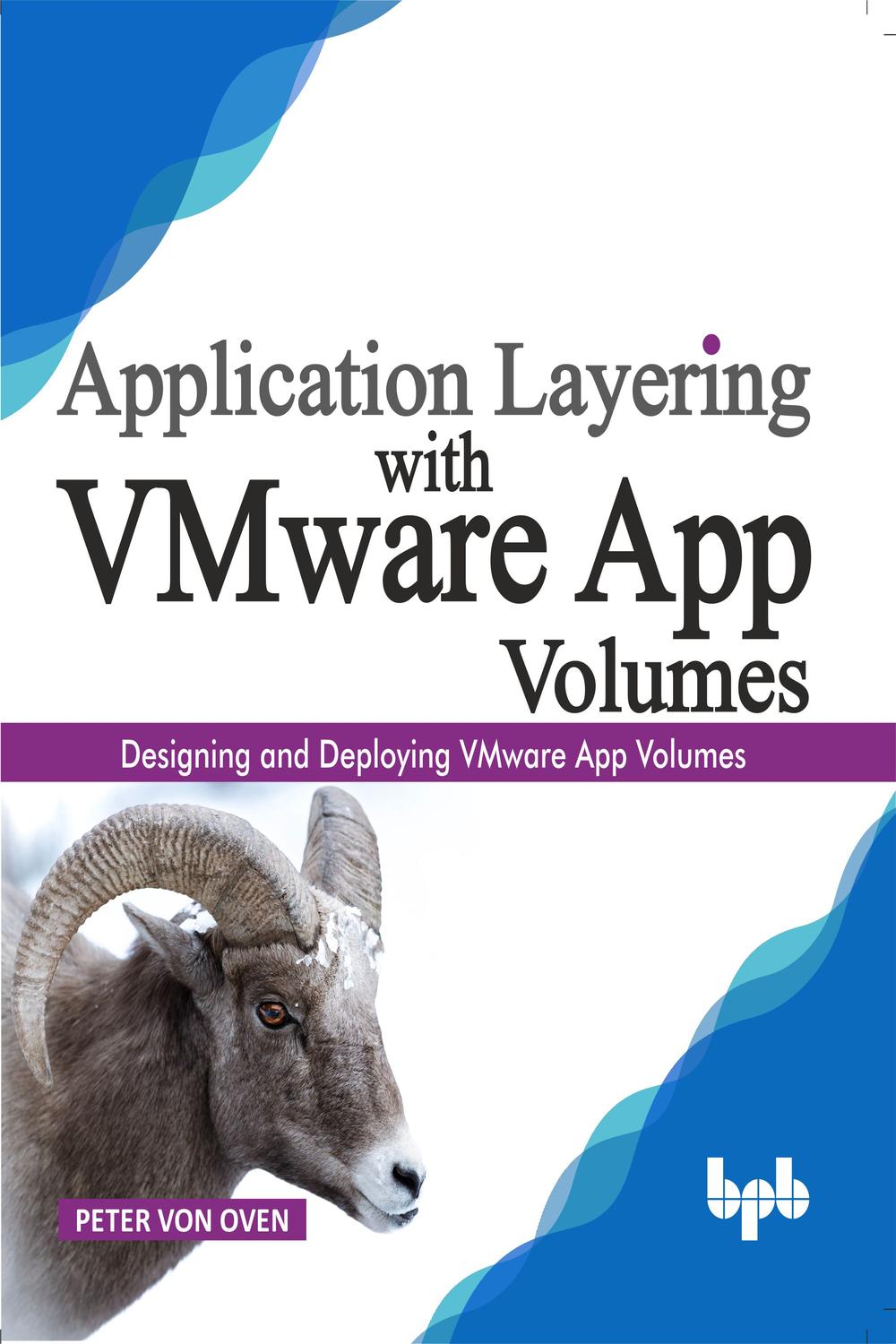
دانلود کتاب لایه بندی برنامه با VMware App Volumes ۲۰۱۹ (Application Layering with VMware App Volumes 2019) با لینک مستقیم و فرمت pdf (پی دی اف) و ترجمه فارسی
| نویسنده |
Peter von Oven |
|---|

۳۰ هزار تومان تخفیف با کد «OFF30» برای اولین خرید
| سال انتشار |
2019 |
|---|---|
| زبان |
English |
| تعداد صفحهها |
494 |
| نوع فایل |
|
| حجم |
44.4 MB |
🏷️ 200,000 تومان قیمت اصلی: 200,000 تومان بود.129,000 تومانقیمت فعلی: 129,000 تومان.
🏷️
378,000 تومان
قیمت اصلی: ۳۷۸٬۰۰۰ تومان بود.
298,000 تومان
قیمت فعلی: ۲۹۸٬۰۰۰ تومان.
توضیحات
ارائهی برنامهها در محیط دسکتاپ مجازی، با توجه به ماهیت بدون حالت (stateless) استقرارهای دسکتاپ مجازی، همواره چالشبرانگیز بوده است. چگونه سازمانها میتوانند هر بار که کاربر نهایی وارد دسکتاپ خود میشود، برنامهها را ارائه دهند، با این فرض که دسکتاپی که کاربر وارد آن شده، بهعنوان یک ماشین کاملاً جدید ایجاد شده و اساساً هیچ برنامهای روی آن نصب نشده است؟
App Volumes برنامهها را در زمان واقعی به ماشینهای دسکتاپ مجازی ارائه میدهد و استقرارهای VDI را قادر میسازد تا انعطافپذیری، چابکی و کاهش هزینهی بیشتری داشته باشند. شرکتها میتوانند به طور کامل از مدل دسکتاپ مجازی بدون حالت در تمام موارد استفادهی VDI بهره ببرند. برای کاربرانی مانند توسعهدهندگان که به یک ماشین دسکتاپ مجازی دائمی و کاملاً stateful نیاز دارند، آنها نیز میتوانند از مزایای یک مدل دسکتاپ مجازی بدون حالت بهرهمند شوند که بازگشت سرمایهی بهتری و همچنین ارائهی متمرکز برنامهها را امکانپذیر میکند.
این کتاب شما را در سفری راهنمایی میکند تا نحوهی استقرار یک محیط App Volumes را با دستورالعملهای گامبهگام و آسان به همراه تصاویر واقعی از یک محیط آزمایشگاهی که میتوانید در حین پیشرفت آن را بسازید، یاد بگیرید.
این کتاب با مروری بر آنچه App Volumes ارائه میدهد و چالشهایی که حل میکند آغاز میشود. از آنجا، ما شروع به بررسی معماری و اجزای تشکیلدهندهی این راهکار خواهیم کرد و بر نحوهی طراحی و برنامهریزی محیط خود تمرکز میکنیم.
هنگامی که فناوری و موارد استفاده را درک کردید، وقت آن است که نصب و پیکربندی نرمافزار App Volumes را شروع کنید. پس از نصب، میتوانیم نگاهی دقیقتر به اجزای اصلی راهکار App Volumes و نحوهی ساخت لایههای برنامهی خود بیندازیم. به عنوان بخشی از این فرآیند، برخی از وظایف پیشرفتهتر مدیریت برای مدیریت محیط را نیز پوشش خواهیم داد.
هنگامی که محیط اصلی را ساختید و چند نمونه از لایههای برنامه ایجاد کردید، به نحوهی ادغام App Volumes با سایر فناوریهای EUC موجود در بازار مانند VMware ThinApp، Microsoft RDSH، Citrix XenApp (Citrix Virtual Apps) و Citrix XenDesktop (Citrix Virtual Desktop) خواهیم پرداخت.
در سراسر این کتاب، نکات و ترفندهای مفید را به همراه بهترین روشها، همگی بر اساس تجربهی استقرار App Volumes در سطح سازمانی، در اختیار شما قرار خواهیم داد.
در پایان این سفر، شما یک محیط App Volumes کاملاً عملیاتی ایجاد کردهاید و مهارتها و دانش لازم برای استقرار محیط تولیدی خود را کسب خواهید کرد.
ویژگیهای کلیدی
درک مفهوم لایهبندی برنامه
مروری بر معماری App Volumes
نصب App Volumes
کار با App Volumes، App Stacks و Writeable Volumes
ادغام با راهکارهای VDI، انتشار برنامه و انتشار دسکتاپ
پیکربندی و مدیریت پیشرفته
چه چیزی یاد خواهید گرفت
این کتاب شما را قادر میسازد تا در مورد نحوهی ارائهی برنامهها در زمان واقعی با استفاده از VMware App Volumes بیاموزید. شما با یادگیری در مورد معماری راهکار، موارد استفاده و مزایایی که ارائه میدهد، شروع خواهید کرد.
پس از مقدمه، یاد خواهید گرفت که چگونه نرمافزار App Volumes را نصب کنید، چگونه آن را پیکربندی کنید و سپس چگونه لایههای برنامهی خود را ایجاد کنید تا آنها را برای ارائه به کاربران نهایی آماده کنید.
در نهایت، یاد خواهید گرفت که چگونه App Volumes نه تنها در سایر فناوریهای VMware EUC، بلکه در برخی از راهکارهای پیشرو شخص ثالث از Citrix و Microsoft ادغام میشود.
این کتاب برای چه کسانی است
این کتاب برای مدیران و معماران دسکتاپ مجازی طراحی شده است که به دنبال طراحی و استقرار راهکاری هستند که بتواند برنامهها را بر اساس تقاضا به کاربران نهایی که از ماشینهای دسکتاپ مجازی استفاده میکنند، ارائه دهد. App Volumes آنها را قادر میسازد تا به یک مدل VDI بدون حالت (stateless) حرکت کنند که هم مقرون به صرفهتر و هم آسانتر برای مدیریت است.
برای درک مفاهیم و فناوری مورد استفاده در این کتاب، باید دانش کاری خوبی از سیستم عاملهای Microsoft Windows هم برای دسکتاپها (به ویژه دسکتاپهای مجازی) و هم برای سرورها (که برای نصب App Volumes و سایر عملکردها مانند AD، اشتراکگذاری فایل و RDSH استفاده میشوند) داشته باشید. همچنین باید تجربهای در مدیریت و ادارهی یک محیط vSphere که برای میزبانی راهکار استفاده میشود، داشته باشید.
از آنجایی که App Volumes تماماً در مورد ارائهی برنامهها است، باید دانش کاری خوبی از روشهای ارائهی برنامههای Windows و همچنین انتشار برنامهها با استفاده از Microsoft RDSH داشته باشید.
این کتاب شما را در فرآیند کامل، گامبهگام، ساخت یک محیط App Volumes راهنمایی میکند.
فهرست مطالب
1. معرفی لایهبندی برنامه و VMware App Volumes
2. نصب VMware App Volumes
3. آشنایی با کنسول مدیریت
4. ایجاد و پیکربندی AppStacks
5. ایجاد و پیکربندی Writable Volumes
6. پیکربندی پیشرفته
7. App Volumes و JMP
8. ارائهی AppStacks با Citrix XenDesktop
9. ارائهی App Volumes با Microsoft RemoteApp
10. ارائهی App Volumes با Citrix XenApp
11. ارائهی AppStacks با Horizon Apps
12. ارائهی برنامههای ThinApp با App Volumes
۱. صفحه روی جلد
۲. صفحه عنوان
۳. صفحه حق چاپ
۴. تقدیم
۵. درباره نویسنده
۶. درباره بازبین
۷. تقدیر و تشکر
۸. پیشگفتار
۹. فهرست اشتباهات
۱۰. فهرست مطالب
۱. معرفی لایه بندی برنامه و VMware App Volumes
۲. نصب VMware App Volumes
۳. آشنایی با کنسول مدیریت
۴. ایجاد و پیکربندی AppStackها
۵. ایجاد و پیکربندی Writable Volumeها
۶. پیکربندی پیشرفته
۷. App Volumes و JMP
۸. ارائه AppStackها با Citrix XenDesktop
۹. ارائه App Volumes با Microsoft Remote App
۱۰. ارائه App Volumes با Citrix XenApp
۱۱. ارائه AppStackها با Horizon Apps
۱۲. ارائه ThinApp App با App Volumes
۲۳. فهرست نمایه
Step-by-step guide to designing, deploying and managing VMware App Volumes
DESCRIPTIONÊÊ
Delivering applications within a virtual desktop environment has always proven to be a challenge given the stateless nature in which virtual desktops are deployed. How can organizations deliver applications each time an end user logs in to his or her desktop given that the desktop they just logged in to has been created as a brand-new machine and basically has nothing installed on it?
App Volumes delivers applications in real-time to virtual desktop machines, enabling VDI deployments to return even greater flexibility, agility and cost reduction. Enterprises can fully utilize the stateless virtual desktop model in all use VDI uses cases. For users such as developers who required a persistent, fully-stateful virtual desktop machine of their own, they too can take advantage of the advantages of a stateless virtual desktop model enabling better return on investment as well as centralised application delivery.
This book will guide you on a journey of how to deploy an App Volumes environment, with easy-to-follow step by step instructions with real-life screenshots based on a test lab environment that you can build as you go.
The book startsÊ with an overview of what App Volumes delivers and the challenges it resolves. From there, we will start to explore the architecture and components that make up the solution, concentrating on how to design and plan your own environment.
Once you have understood the technology and use cases, then itÕs time to start installing and configuring the App Volumes software. Once installed we can then start to look more closely at the core components to the App Volumes solution and how to build your application layers. As part of this, we will also cover some of the more advanced management tasks for managing the environment.
Once you have built the core environment and created some examples of application layers, we will then look at how to integrate App Volumes with some of the other EUC technologies that are available in the market such as VMware ThinApp, Microsoft RDSH, Citrix XenApp (Citrix Virtual Apps), and Citrix XenDesktop (Citrix Virtual Desktop).
Throughout this book we will provide you with useful hints and tips, along with best practices, all based on experience of deploying App Volumes within the Enterprise.
At the end of the journey, you will have built a complete working App Volumes environment and will have acquired the skills and knowledge to deploy your own production environment.
KEY FEATURESÊ
Understanding the concept of application layering
App Volumes architecture overview
Installing App Volumes
Working with App Volumes, App Stacks and Writeable Volumes
Integration with VDI, app publishing, and desktop publishing solutions
Advanced configuration and management
WHAT WILL YOU LEARNÊÊ
This book will enable you to learn about how to deliver real-time applications using VMware App Volumes. You will start by learning about the architecture of the solution, the use cases, and what benefits it delivers.
Following the introduction, you will learn how to install the App Volumes software, how to configure it and then how to create your application layers to ready them for delivery to end users.
Finally, you will learn how App Volumes integrate into not only other VMware EUC technologies, but also some of the market-leading third-party solutions from Citrix and Microsoft.
WHO THIS BOOK IS FORÊÊ
This book is designed for virtual desktop administrators and architects who are looking to design and deploy a solution that can deliver applications on-demand to end users who are using virtual desktop machines. App Volumes enables them to move to a stateless VDI model which is both more cost effective and easier to manage.
To understand the concepts and technology used in this book you will need to have a good working knowledge of the Microsoft Windows operating systems for both desktops (namely virtual desktops) and servers (used for installing App Volumes and other functions such as AD, file sharing, and RDSH). You will also need experience in managing and administering a vSphere environment used to host the solution.
As App Volumes is all about delivering applications, you should have a good working knowledge of Windows app delivery methodologies as well as publishing apps using Microsoft RDSH.
This book will guide you through the complete process, step-by-step, in building an App Volumes environment.
Table of Contents
1. Introduction to app layering & VMware App Volumes
2. Installing VMware App Volumes
3. Getting familiar with the Management Console
4. Creating & Configuring AppStacks
5. Creating & Configuring Writable Volumes
6. Advanced Configuration
7. App Volumes & JMP
8. Delivering AppStacks with Citrix XenDesktop
9. Delivering App Volumes with Microsoft RemoteApp
10. Delivering App Volumes with Citrix XenApp
11. Delivering AppStacks with Horizon Apps
12. Delivering ThinApp apps with App Volumes
1. Cover Page
2. Title Page
3. Copyright Page
4. Dedication
5. About the Author
6. About the Reviewer
7. Acknowledgement
8. Preface
9. Errata
10. Table of Contents
1. Introduction to App Layering and VMware App Volumes
2. Installing VMware App Volumes
3. Getting Familiar with the Management Console
4. Creating and Configuring AppStacks
5. Creating and Configuring Writable Volumes
6. Advanced Configuration
7. App Volumes and JMP
8. Delivering AppStacks with Citrix XenDesktop
9. Delivering App Volumes with Microsoft Remote App
10. Delivering App Volumes with Citrix XenApp
11. Delivering AppStacks with Horizon Apps
12. Delivering ThinApp App with App Volumes
23. Index
✨ ضمانت تجربه خوب مطالعه
در صورت مشکل، مبلغ پرداختی بازگردانده می شود.
دانلود فایل کتاب با سرعت بالا
دانلود مستقیم به همراه ارسال فایل به ایمیل.
با چت آنلاین و پیامرسان ها پاسخگو هستیم.
کتاب ها را از منابع معتیر انتخاب می کنیم.

 هوشمصنوعی ترجمه کالیبو